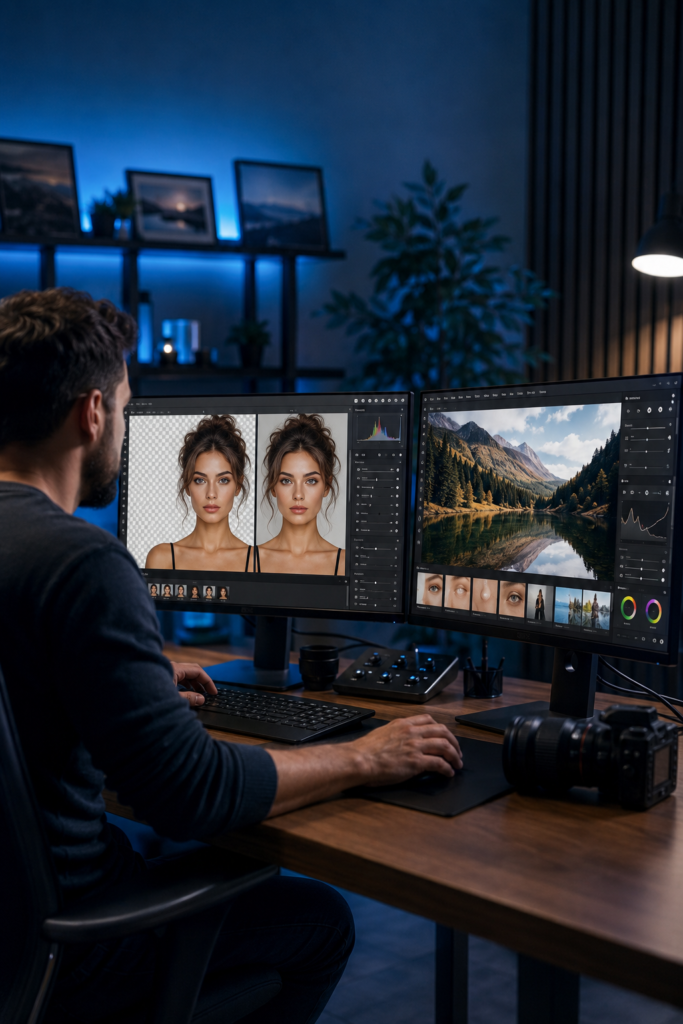
AI photo editing and AI image generation are different jobs, and mixing them up leads to buying the wrong tool. An image generator invents a picture from a text prompt. A photo editor works on a photograph you already took: removing noise, recovering detail, replacing a background, restoring an old print.
This guide covers seven editors on what is verifiable, and leads with the thing that changed most in this category during 2026: how these products charge. One major vendor abolished perpetual licences entirely, another sells a perpetual licence whose AI tools expire after a year, and Adobe meters its AI by credit. If you are choosing on the basis of an older review, the pricing you remember is probably wrong.
If you want to create images from scratch rather than edit existing ones, our guide to AI image generators covers that separately.
Editing versus generating
The distinction matters commercially as well as practically. Editing a photograph you own raises no licensing question about the source material. Generating a new image raises questions about training data, ownership and commercial rights that this category largely avoids.
Several editors here also include a generator, which is where the line blurs. Treat those as convenience features. If generation is your main need, a dedicated generator will serve you better; if enhancement is the need, an editor will.
Four pricing models, and why they differ so much
Subscription with metered AI. Adobe charges a monthly fee, then meters generative features with credits. Adobe documents that most standard generative features consume one credit per generation, with some consuming more, and that premium features and partner models cost more still.
Subscription only, formerly perpetual. Topaz Labs ended perpetual licences in late 2025 and now sells subscriptions. This is the single most out-of-date fact in most published comparisons.
Perpetual licence with a time-limited AI window. Skylum still sells a one-time purchase for Luminar, but the AI tools inside it are not perpetual. More on that below, because it is easy to misread.
Free tier plus subscription. The browser and mobile tools use conventional freemium pricing, usually limiting exports, resolution or watermark removal rather than features.
The practical consequence: a one-time purchase is not automatically cheaper, and a subscription is not automatically worse. What matters is whether the AI features you actually want keep working after the first year.
Professional editing and RAW workflow
1. Adobe Photoshop
Photoshop remains the reference point for pixel-level editing, with generative fill, generative expand, object removal, subject selection and content-aware fill built into a mature manual toolset.
Adobe’s US individual plans page, checked 20 September 2026, lists Photoshop at $22.99/month and Photography at $19.99/month, both annual commitments billed monthly. Photography includes Photoshop and Lightroom. Creative Cloud Pro displays $69.99/month with an eligible new-subscriber offer of $34.99/month for three months, then $69.99/month. These terms are not a $419.88 full-year offer.
Calculated example: three months at $34.99 plus nine at $69.99 totals $734.88 before tax for the first year under that specific offer. Twelve months at $69.99 would total $839.88. Check eligibility, renewal and cancellation terms; do not extrapolate the introductory rate across all twelve months.
Feature access and consumption need a current check. Adobe’s updated credits table lists standard and premium access for Photography 1TB and individual Single App plans. Older pages may describe a premium-feature paywall. Check the current feature/model requirements in your account; neither an older exclusion nor the word “premium” alone establishes your entitlement. Some plans include unlimited standard generations, while premium usage remains metered.
Adobe’s current credits FAQ, checked 20 September 2026, lists Photography 1TB at 1,000 monthly credits and Creative Cloud Pro at 4,000 premium credits plus unlimited standard generations. For individual Photoshop Single App plans, it lists 500 credits for subscriptions before 17 June 2025 and 25 on or after that date. Confirm the exact product and subscription date rather than treating all Photoshop access as one allowance.
2. Adobe Lightroom
Lightroom is the cataloguing and RAW development side of the same family, and for most photographers it is the application actually used daily. Its AI is corrective rather than generative: AI masking that selects subjects, skies and backgrounds automatically, AI denoise for high-ISO files, and lens blur.
It is sold as a single app or, more sensibly for most people, inside the Photography plan alongside Photoshop for a few dollars more. Adobe plans are annual commitments billed monthly, and cancelling early incurs a fee, so treat the monthly figure as a yearly decision.
Worth knowing: some corrective AI features have historically not consumed generative credits, while generative features do. Since Adobe has changed which features are metered over time, confirm the current position for the specific tools you rely on.
AI-first desktop editors
3. Luminar
Skylum’s Luminar is the most approachable full editor here, built around one-click AI operations: sky replacement, relighting, portrait and skin tools, structure enhancement and power-line removal. It runs standalone or as a plugin for Photoshop and Lightroom.
The perpetual licence needs reading carefully. Skylum’s pricing page describes a perpetual licence for Luminar on desktop across two devices, with continuous access to updates, bug fixes and some new features, while noting that major upgrades may require additional payment. Critically, the perpetual plan grants one year of access to the AI tools including Restoration, GenErase, GenSwap, GenExpand and the AI Assistant, alongside full access to the features that existed at the date of purchase.
In other words, buying once does not buy the generative AI permanently. That is not hidden, but it is easy to miss when a review lists “one-time purchase available” as a straightforward advantage. Skylum also sells subscriptions.
This guide quotes no headline price for Luminar. Skylum discounts heavily and near-continuously, and third-party bundle prices circulate at wildly different figures, so any number here would be misleading within weeks. Check Skylum’s own pricing page.
Enhancement and restoration specialists
4. Topaz Photo
Topaz does one thing: image quality. Noise reduction, sharpening, motion blur correction, face recovery and upscaling, driven by models trained for specific image types rather than a general-purpose engine. It runs standalone or as a Photoshop and Lightroom plugin.
Two things have changed, and both matter.
First, Topaz Labs ended perpetual licences in late 2025. The widely quoted one-time purchase is no longer available to new customers, and the lineup is now subscription-based, sold as individual applications or as a bundled suite. Existing perpetual licence holders keep the version they last bought, but new AI models require an active subscription. Any guide still quoting a one-time price for Topaz is describing a retired model.
Second, Adobe now owns Topaz Labs. Adobe announced on 25 June 2026 that it had agreed to buy the company, and on 23 September 2026 that it had “completed its acquisition of Topaz Labs”. Adobe says “the Topaz Labs brand will remain, and its apps and models will continue to be available as standalone products”, and that Topaz technology is now available inside Firefly and Photoshop. It has not published any change to existing Topaz subscriptions or prices. If you are weighing a multi-year commitment, check the Topaz pricing page again at renewal, because ownership changes are when plans tend to be reorganised. The deal is also recorded in our log of AI tool pricing and product changes.
Topaz now publishes its subscription ladder in full, and it is steeper than the retired perpetual licence people remember. Its pricing page lists individual applications at $199 a year for Topaz Photo, $149 for Gigapixel and $299 for Topaz Video, with Pro versions of the same apps at $599, $499 and $699. The bundles are Topaz Studio at $399 a year, or $45 a month on an annual commitment and $69 month-to-month, and Topaz Studio Pro at $799 a year, or $79 a month on an annual commitment.
Topaz also documents that monthly credits expire at the end of each month and do not roll over, and that export limits apply to specific web products. There is no free tier, only a trial.
5. Remini
Remini is the restoration specialist, focused on old, blurred and low-resolution photographs, particularly faces. It reconstructs facial detail in a way general upscalers usually cannot, which is why it dominates the family-photo restoration use case.
It is mobile-first, with a free tier that provides a limited allowance and a subscription above it. Remini does not clearly publish its free credit allowance, so treat any specific number you read elsewhere with caution and check inside the app.
One honest caveat about this whole sub-category: face reconstruction is generative. The tool is inferring plausible detail that was never in the original file, not recovering it. For family photographs that is usually acceptable and often delightful. For anything evidential, documentary or journalistic, it is not, and the distinction matters.
Commerce and browser editing
6. Photoroom
Photoroom is built for product photography rather than general editing: background removal, AI-generated backgrounds and shadows, batch processing and templates sized for marketplace listings. For anyone maintaining a catalogue on Shopify, Etsy, Amazon or eBay, batch handling matters more than any single-image capability.
It offers a free tier with a paid plan above it. This guide has not verified Photoroom’s current figures against its own pricing page, so no price is quoted here; the constraint on free plans in this category is typically export resolution or watermarking rather than the number of edits. Our guide to AI background removers compares this specific capability across more tools.
7. Pixlr
Pixlr runs in the browser with no installation, offering object removal, background removal, AI cutout and a usable free tier. It is the practical choice for occasional edits on a machine where you cannot or would rather not install software, and for anyone unwilling to enter a subscription for a handful of edits a month.
Free plans in browser editors typically limit saves, export resolution or ad-free use rather than tools. Confirm the current limits on Pixlr’s own pricing page before relying on it for client work.
Comparison
Based on vendor documentation at the time of writing. Where a figure is not publicly verifiable, the table says so rather than estimating.
| Tool | Built for | Pricing model | Free option | Platform |
|---|---|---|---|---|
| Photoshop | Pixel-level editing | Subscription + generative credits | Trial only | Desktop, iPad, web, mobile |
| Lightroom | RAW workflow and cataloguing | Subscription, annual commitment | Trial only | Desktop, mobile, web |
| Luminar | One-click AI editing | Perpetual with 1-year AI access, or subscription | Trial | macOS, Windows; plugin |
| Topaz Photo | Noise, sharpening, upscaling | Subscription only since late 2025, $199/yr | Trial only | macOS, Windows; plugin |
| Remini | Restoration and face recovery | Free tier + subscription | Yes, allowance not published | Mobile, web |
| Photoroom | Product and ecommerce photos | Free tier + subscription | Yes | Web, mobile |
| Pixlr | Quick browser editing | Free tier + subscription | Yes | Browser |
Deliberately absent is any rating of output quality. Scoring these tools “excellent” or “good” requires a defined, repeatable methodology, and none is published for this category.
Commercial use and licensing
Editing your own photographs is commercially straightforward: you already hold the rights to the source image. Two things still deserve checking.
Revenue thresholds. Topaz’s published pricing scopes its standard tiers to “personal and commercial use for orgs under $1M USD annual revenue”, and reserves “full commercial use” for its Pro tiers, aimed at “organizations over $1M USD in annual revenue”. That is the difference between Topaz Studio at $399 a year and Topaz Studio Pro at $799 — a doubling triggered by your revenue rather than by any feature you use. A growing business can move out of the tier it signed up for without noticing.
Generative additions. The moment a tool generates new content rather than correcting existing pixels, the licensing question shifts toward the generator’s terms. If you use generative fill or a generated background in commercial work, the relevant terms are those of the generative model, not the editor around it.
Free tiers are the usual place commercial use is restricted. Where a free plan watermarks output or caps export resolution, that is frequently the mechanism rather than an explicit prohibition. Read the terms for the plan you hold rather than the product as a whole.
What AI editing still cannot do
- Recover information that was never captured. Upscaling and face recovery infer plausible detail. They do not reveal what the sensor missed.
- Replace judgement. Automatic enhancement applies an average preference. Deciding what a photograph should look like remains yours.
- Guarantee consistency across a set. Batch AI can drift between images, which matters for catalogues and series.
- Run comfortably on old hardware. Desktop AI editors are demanding, and a slow machine changes the experience more than any feature list.
How to choose
You shoot RAW regularly: the Adobe Photography plan is the default, since it bundles the cataloguing and pixel editing most workflows need.
You want one-click results without a learning curve: Luminar, with the one-year AI window understood before you buy the perpetual licence.
Your problem is file quality: Topaz is the specialist, now on a subscription and, since September 2026, owned by Adobe.
You are restoring old family photographs: Remini, remembering that it reconstructs rather than recovers.
You process product images at volume: Photoroom, for the batch handling.
You edit occasionally: Pixlr in the browser, and no subscription at all.
Every tool here offers a trial or a free tier. Run your own difficult files through two of them before subscribing, because performance on your images and your hardware is what actually decides this.
Budget for usable edits, not just generations
Illustrative job: 100 catalogue images, each needing background cleanup and two generative alternatives. That is 200 generation attempts before retries, not 100. If the selected feature consumes one credit per attempt, the initial budget is 200 credits; at five credits it is 1,000. These are calculations, not measurements of a named editor’s output.
Keep original files and compare the same detail crops after export. Look for altered product text, edges, skin texture and invented details. A visually convincing result can still be unsuitable when it changes what the product actually looks like. Count rejected outputs and time spent correcting them when evaluating value.
Related guides
- Best AI Image Generators in 2026
- Best AI Background Removers in 2026
- Best AI Logo Generators in 2026
- Best AI Video Generators in 2026
- Best AI Subtitle Generators in 2026
Frequently asked questions
Can I still buy Topaz with a one-time payment?
Not as a new customer. Topaz Labs ended perpetual licences in late 2025 and moved to subscriptions. Existing licence holders keep the version they last purchased, but new AI models require an active subscription.
Does Luminar’s one-time purchase include the AI tools forever?
No. Skylum’s perpetual plan includes one year of access to its AI tools, alongside permanent access to the features that existed when you purchased. Major upgrades may require additional payment.
What happens to Topaz now that Adobe owns it?
Adobe completed the purchase on 23 September 2026 and says Topaz will continue as a standalone brand, with its apps and models still sold as standalone products. Its technology is also being built into Firefly and Photoshop. No changes to existing Topaz plans had been announced when we checked on 24 September 2026.
Do Photoshop’s AI features cost extra?
Generative usage depends on the feature, model and plan. Adobe’s current feature guide says most standard generations consume one credit, while some cost more; eligible plans include unlimited standard generations. Check the current credit panel before a large batch, especially when using a partner model.
Which of these is free?
Pixlr, Photoroom and Remini offer free tiers. Adobe, Luminar and Topaz offer trials rather than free plans. Free tiers in this category usually limit export resolution, watermarking or saves rather than tools.
Is an AI photo editor the same as an AI image generator?
No. Editors work on photographs you already have; generators create images from a prompt. Several editors include a generator as a secondary feature, but if generation is your main need a dedicated tool is the better fit.
Conclusion
Choose by the editing job, export requirements and full plan cost. Compare pixel-level editing, enhancement, restoration and catalogue production separately. This is a documented-feature comparison, not an independent image-quality ranking. Evaluate a small set of your own permitted images before relying on a subscription for production work.
The most useful thing before you pay is to check two details the marketing pages do not lead with: whether the AI features you actually want are metered or time-limited, and what the free tier restricts at the point of export.